
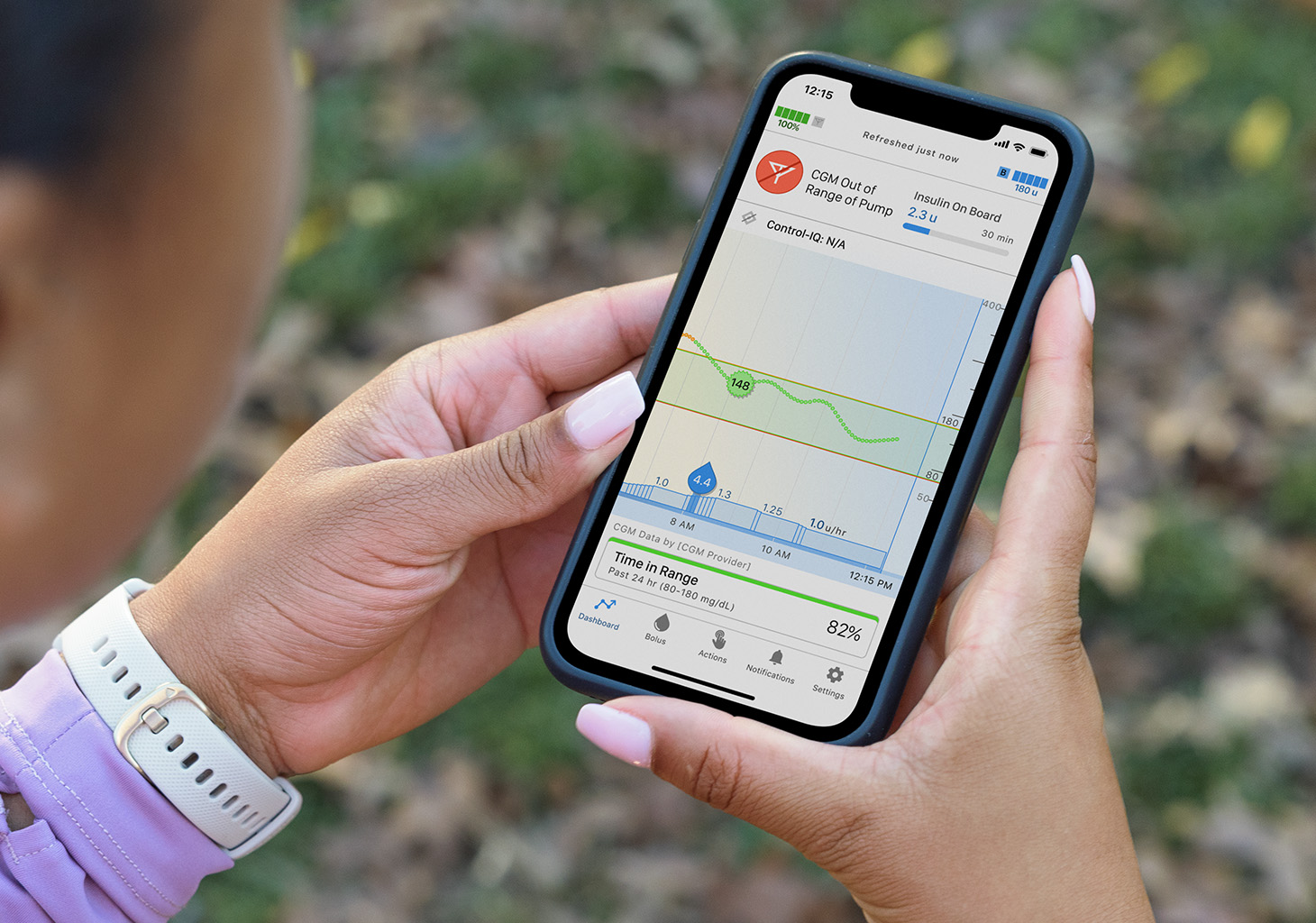
Diabetes App Connection Problems: Why Doesn’t the Data Always Transfer?
Introduction
Modern diabetes management increasingly depends on digital technology. Continuous Glucose Monitors (CGMs), insulin pumps, smart insulin pens, cloud platforms, and smartphone applications work together to provide real-time information that helps people manage diabetes more effectively.
In theory, the process sounds simple:
A sensor measures glucose levels → the data is sent to a smartphone → the app displays the information → caregivers or healthcare providers can access it if needed.
Yet many users discover that reality is not always so seamless.
One of the most common frustrations reported by people with diabetes and their families is:
“Why isn’t my data showing up?”
The glucose sensor appears to be working.
The smartphone is nearby.
The internet connection seems fine.
Yet the app suddenly stops updating, readings disappear, or caregivers can no longer see glucose data remotely.
For parents of children with Type 1 diabetes, these interruptions can be particularly stressful. Continuous glucose data provides reassurance, especially during school hours, overnight, or when children are away from home.
Understanding why these disruptions occur can reduce frustration and help users respond more effectively when problems arise.
The Hidden Complexity Behind a Simple Number
When a user sees a glucose value on a smartphone screen, it may appear that the process is straightforward.
In reality, several technologies must work together simultaneously.
A typical data pathway involves:
Sensor collects glucose information.
Transmitter processes the data.
Bluetooth sends information to a phone.
The phone app receives the data.
The app processes and displays it.
Data may be uploaded to cloud servers.
Family members or healthcare providers access the information remotely.
If any part of this chain fails, data transfer may stop.
The sensor itself may still be functioning perfectly while the information fails to reach the final destination.
Bluetooth: The Most Common Source of Problems
Most modern diabetes devices communicate through Bluetooth.
Bluetooth is convenient because it allows wireless communication without cables.
However, it also introduces potential weaknesses.
Common issues include:
Bluetooth accidentally disabled
Signal interference
Device pairing errors
Software conflicts
Distance limitations
Many users assume Bluetooth functions like the internet.
In reality, Bluetooth has a relatively short range.
Even moving to another room may occasionally interrupt communication depending on walls, interference, and device placement.
Distance Matters More Than People Realize
Parents often ask:
“My child has the sensor on. Why am I not receiving data?”
Sometimes the answer is surprisingly simple.
The smartphone receiving the sensor data is too far away.
For example:
The child leaves the phone in a backpack.
The phone remains in a classroom while the child goes outside.
The phone is charging in another room.
Because CGMs often depend on Bluetooth communication, physical distance can interrupt the connection.
Once devices reconnect, data usually resumes automatically.
Smartphone Operating Systems Can Interfere
Many users blame diabetes apps when the real issue lies with the phone’s operating system.
Modern smartphones constantly try to conserve battery power.
To do this, operating systems may:
Limit background activity
Restrict Bluetooth access
Close inactive applications
Delay synchronization processes
From the phone’s perspective, these actions improve efficiency.
From the diabetes user’s perspective, they may cause missing glucose readings.
This is one reason manufacturers often publish specific recommendations regarding phone settings.
Battery Optimization: An Invisible Problem
Battery-saving features are among the most common causes of connectivity issues.
Many phones automatically place applications into low-power states.
When this happens:
Data synchronization may slow down.
Notifications may be delayed.
Bluetooth communication may become unreliable.
The user often has no idea this is happening.
The sensor may appear to fail when the real issue is the operating system limiting the app’s activity.
Software Updates Can Create Temporary Problems
People often look forward to software updates because they promise improvements and new features.
However, updates can occasionally create unexpected complications.
Possible issues include:
Bluetooth compatibility changes
Permission resets
New operating system restrictions
Temporary software bugs
It is not uncommon for users to experience connection issues shortly after updating either:
The diabetes app
The smartphone operating system
Most manufacturers eventually release fixes, but temporary disruptions can occur.
Internet Problems vs. Bluetooth Problems
Many users confuse these two issues.
Bluetooth and internet connections serve different purposes.
Bluetooth
Transfers data from the device to the phone.
Internet
Transfers data from the phone to cloud servers.
A sensor may continue sending glucose readings to the phone even when internet service is unavailable.
However, remote followers may stop receiving updates because cloud synchronization cannot occur.
Understanding this distinction helps identify where the problem originates.
Cloud Server Interruptions
Even when all personal devices function correctly, problems can still occur.
Sometimes the issue exists within the manufacturer’s cloud infrastructure.
Cloud servers handle:
Data storage
Synchronization
Remote sharing
Report generation
If servers experience:
Maintenance
Technical failures
Unexpected outages
users may temporarily lose access to remote features.
The sensor itself often continues working locally.
However, caregivers and healthcare providers may experience interruptions.
Permission Settings: A Surprisingly Common Cause
Modern smartphones require apps to obtain permission for specific functions.
These permissions may include:
Bluetooth access
Location services
Notifications
Background operation
Mobile data access
Sometimes permissions become disabled after:
Phone updates
App reinstalls
Security changes
The app may appear normal while critical functionality is restricted.
Many connectivity problems can be traced to permission settings that were unintentionally changed.
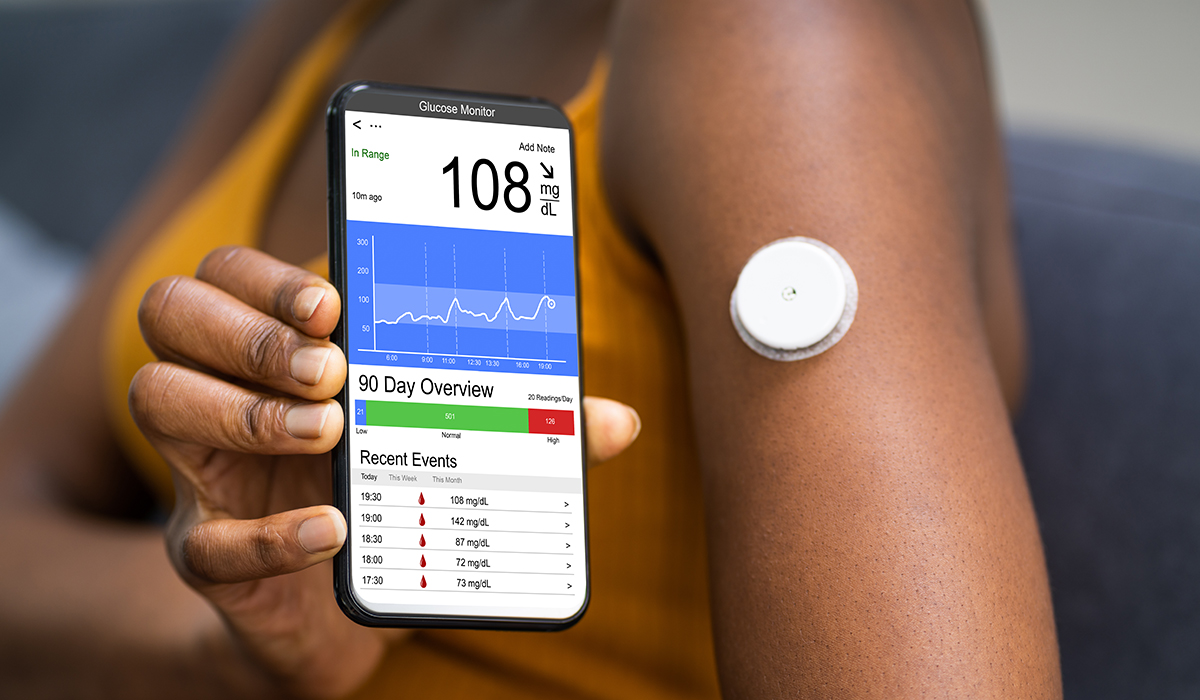
Why Location Services Matter
Many users find it strange that diabetes apps sometimes request location access.
They assume:
“Why does my glucose monitor need my location?”
The answer is often technical rather than geographical.
Some smartphone operating systems require location permissions for Bluetooth communication features.
If location services are disabled, Bluetooth performance may be affected.
This can create confusion because the connection problem appears unrelated to location settings.
Sensor-Specific Issues
Not every data interruption originates from the phone.
Sometimes the sensor itself contributes to the problem.
Potential causes include:
Sensor aging
Adhesive movement
Temporary signal loss
Manufacturing defects
Physical damage
Although modern sensors are highly reliable, no device is completely immune to occasional failure.
The Challenge of Real-Time Data
Many people expect diabetes technology to function like a live television broadcast.
In reality, data transfer involves:
Measurement delays
Processing time
Wireless communication
Server synchronization
Small interruptions are often normal.
A brief delay does not necessarily indicate a malfunction.
Understanding this can reduce unnecessary concern.
Remote Monitoring and the Parent Experience
Parents often experience the greatest anxiety when data stops updating.
Imagine seeing:
“Last reading: 35 minutes ago.”
Immediately, questions arise:
Is my child okay?
Did the sensor fail?
Is the phone battery dead?
Is there a dangerous low glucose event occurring?
These concerns are understandable.
The emotional impact of missing data can sometimes be greater than the technical problem itself.
Why Data Gaps Do Not Always Mean Missing Glucose Information
One reassuring fact is that many diabetes devices store data internally.
Even if communication is interrupted temporarily:
Glucose measurements may continue.
Data may be saved locally.
Information may synchronize later.
When the connection returns, historical readings often reappear.
The data was not necessarily lost—it simply was not transferred immediately.
The Human Factor
Technology problems are not always technological.
Sometimes the cause is simple human error.
Examples include:
Forgetting to charge the phone
Closing the app accidentally
Turning off Bluetooth
Airplane mode activation
Incorrect device pairing
These mistakes happen to everyone.
Even experienced users occasionally overlook simple explanations.
Why Perfect Reliability Is Difficult
People often wonder why diabetes technology cannot provide perfect connectivity.
The answer lies in the complexity of the system.
Manufacturers must balance:
Battery life
Device size
Wireless performance
Security
Privacy
Cost
Improving one area often affects another.
Creating a tiny wearable device that communicates continuously while preserving battery life is an engineering challenge.
The Future of Diabetes Connectivity
Future systems are expected to improve in several areas:
Stronger wireless communication
Better cloud reliability
Improved smartphone integration
Reduced connection interruptions
Enhanced predictive diagnostics
Some systems may eventually detect communication problems automatically and guide users through troubleshooting before data loss becomes noticeable.
Conclusion
When diabetes app data fails to transfer, the problem is rarely as simple as “the sensor stopped working.”
Modern diabetes technology relies on a complex network involving:
Sensors
Transmitters
Bluetooth communication
Smartphone operating systems
Internet connectivity
Cloud servers
App permissions
A disruption at any point can interrupt data flow.
For users and families, especially parents monitoring children with Type 1 diabetes, these interruptions can be frustrating and emotionally stressful.
However, understanding the most common causes—Bluetooth limitations, smartphone settings, battery optimization, software updates, internet issues, cloud outages, and permission errors—can make troubleshooting much easier.
The important thing to remember is that a missing reading does not automatically mean a medical emergency or device failure. Often, the underlying issue is a temporary communication problem that can be resolved once the connection chain is restored.
As diabetes technology continues to evolve, connectivity will likely become more reliable. Until then, patience, basic troubleshooting skills, and an understanding of how these systems communicate remain valuable tools for every diabetes technology user.
Diabetes App Connection Problems: Why Doesn’t the Data Always Transfer? (Part 2)
The Frustration of “Technology Dependence”
One of the paradoxes of modern diabetes care is that technology makes life easier while also creating new forms of dependence.
Before continuous glucose monitoring systems and smartphone apps became common, families relied primarily on blood glucose meters. While those methods required more manual effort, they were relatively simple.
Today’s diabetes ecosystem may include:
A glucose sensor
A transmitter
A smartphone
A smartwatch
Cloud servers
Caregiver-following apps
Insulin pumps
Smart insulin pens
Each component adds convenience, but each also creates another potential point of failure.
When everything works, the experience feels seamless.
When one piece stops communicating, users suddenly realize how interconnected the entire system has become.
Why Problems Often Occur at the Worst Possible Time
Many parents report that connectivity problems seem to happen during critical moments:
At night
During school hours
While traveling
During sports activities
During illness
This perception is partly psychological.
When glucose data is available, people rarely think about it.
When data disappears during an important moment, anxiety increases immediately.
As a result, those interruptions become much more memorable.
Traveling and Connectivity Challenges
Travel introduces several factors that can affect diabetes technology.
These include:
Time Zone Changes
Some apps may require time synchronization.
Incorrect time settings can occasionally create confusion in reports and data displays.
Airport Security Procedures
Although most diabetes devices are designed to tolerate normal travel, families often become concerned about scanners, electronic interference, and device handling.
Roaming and Internet Issues
Remote sharing features may be affected when internet access becomes inconsistent.
International Compatibility
Not all device features operate identically in every country.
Differences in smartphone settings, networks, and regulations may influence performance.
For these reasons, experienced families often prepare backup plans before traveling.
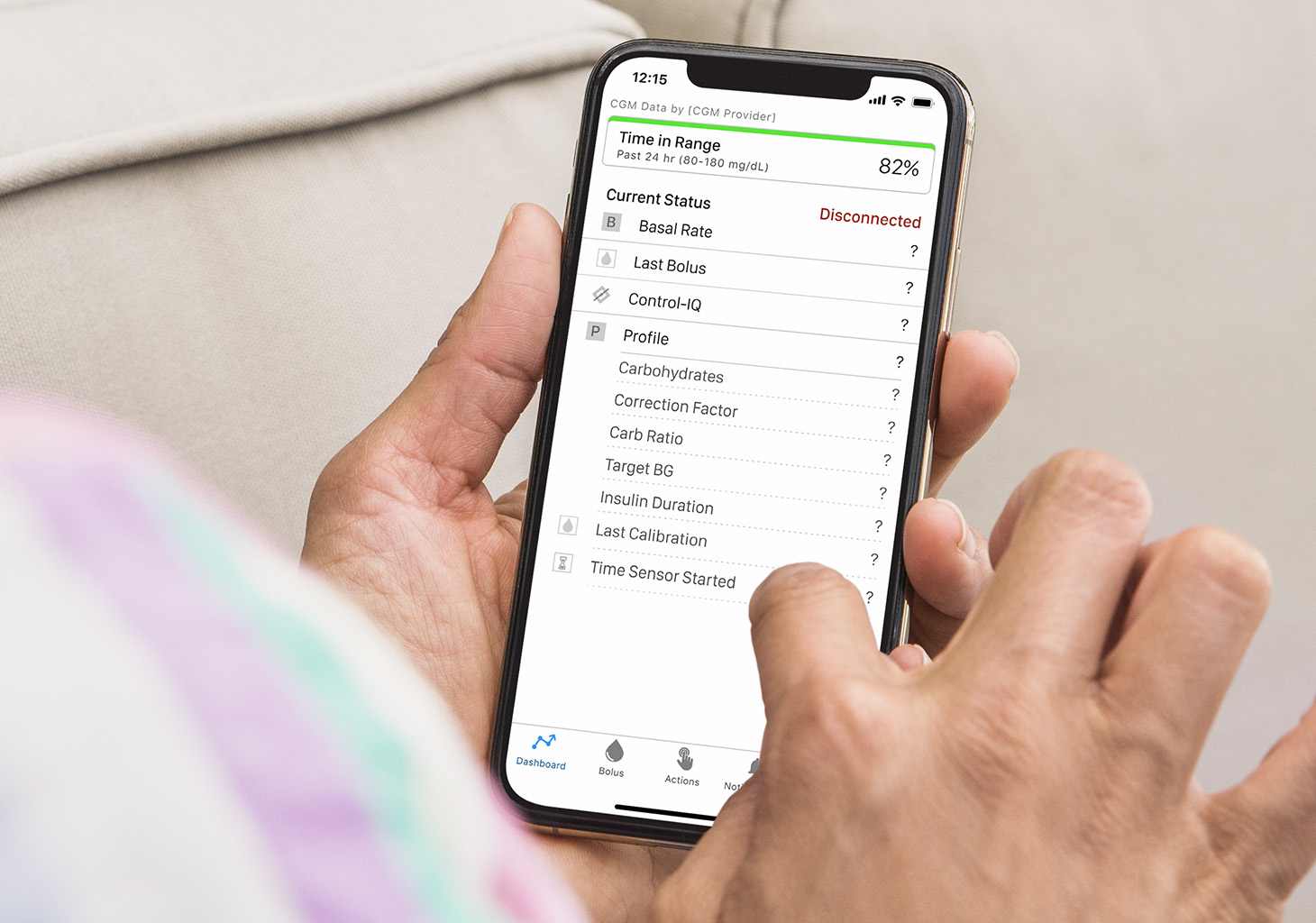
School Environments Can Create Unique Problems
Schools present several challenges that families may not anticipate.
A child’s smartphone may:
Run out of battery
Be left in a locker
Be stored in a backpack
Lose internet access
In some schools, students are encouraged to minimize phone usage during class.
While understandable, this can sometimes interfere with diabetes technology that relies on smartphone communication.
Parents may suddenly notice missing data and assume there is a medical issue when the real explanation is a simple connectivity problem.
The Growing Role of Smartwatches
Many people now use smartwatches to view glucose information.
This convenience creates another layer of complexity.
The communication chain may look like this:
Sensor → Phone → Cloud → Watch
If any step fails:
Watch updates may stop.
Notifications may disappear.
Data delays may occur.
Users sometimes blame the sensor when the actual problem lies in the watch-to-phone connection.
Understanding the full communication pathway can make troubleshooting much easier.
Data Security and Privacy Restrictions
Healthcare data is highly sensitive.
Manufacturers must follow strict privacy and security requirements.
To protect users, apps often include:
Authentication systems
Encryption
Secure cloud storage
Permission controls
These protections are important, but they can occasionally create additional connection challenges.
For example:
Password expiration
Login issues
Session timeouts
Security verification requirements
A user may interpret these as technical failures when they are actually security-related interruptions.
Why Remote Followers Sometimes Lose Data
Many parents rely on remote monitoring applications.
When follower data disappears, concern can escalate quickly.
Several situations may cause this:
The Child’s Phone Lost Internet Access
The sensor may continue working normally, but cloud transmission stops.
The App Closed Unexpectedly
Some operating systems automatically close background applications.
Account Synchronization Issues
Cloud services occasionally require re-authentication.
Server Delays
Data may simply be delayed rather than lost.
In many cases, the child can still see glucose readings while followers cannot.
This distinction is important during troubleshooting.
Alarm Delivery Problems
Sometimes glucose data continues flowing normally, but alerts fail to arrive.
This situation can be particularly dangerous because users may assume they will be notified automatically.
Possible causes include:
Notification permissions disabled
Silent mode settings
Do Not Disturb features
Operating system restrictions
App notification errors
Because alarms play a critical role in diabetes safety, notification settings should be reviewed regularly.
The Hidden Impact of Phone Upgrades
Many users are surprised to discover that changing smartphones can temporarily disrupt diabetes management.
A new phone may require:
Fresh Bluetooth pairing
App reinstallation
Account verification
Permission configuration
Even small setup errors can affect connectivity.
Families often focus on transferring photos and contacts while forgetting to verify diabetes-related settings.
As a result, problems may appear days later.
Multiple Devices and Signal Confusion
Some users attempt to connect a sensor to several devices simultaneously.
Depending on the system, this can occasionally create communication conflicts.
Examples include:
Multiple phones
Tablets
Watches
Receivers
While many modern systems support multiple viewing options, improper configuration can sometimes lead to confusion regarding which device is actively receiving data.
The Emotional Cost of Missing Data
When discussing connectivity problems, technical explanations are only part of the story.
The emotional impact can be significant.
Parents often describe feelings such as:
Anxiety
Helplessness
Frustration
Fear
A thirty-minute interruption may seem minor from a technical perspective.
Emotionally, however, it can feel much longer.
Particularly when monitoring a child overnight, missing data can create considerable stress.
Trust in Technology
Every successful data transmission builds trust.
Every connection failure tests that trust.
Many families gradually develop a relationship with diabetes technology.
They come to rely on:
Alerts
Trend information
Remote monitoring
Automated insulin adjustments
When connectivity problems occur repeatedly, confidence may decrease.
This is why manufacturers invest heavily in reliability improvements.
Trust is just as important as technical performance.
Why Redundancy Still Matters
Despite technological advances, experienced diabetes families often maintain backup strategies.
Examples include:
Traditional glucose meters
Extra test strips
Backup insulin supplies
Printed emergency instructions
Technology is extremely valuable, but no system is completely immune to failure.
Redundancy provides peace of mind when unexpected issues occur.
The Importance of Understanding Your System
Many users know how to operate their devices but do not fully understand how information moves through the system.
Learning the communication pathway can make troubleshooting much easier.
For example:
If glucose data appears on the child’s phone but not on the parent’s phone, the sensor is likely functioning correctly.
The problem may exist in:
Internet connectivity
Cloud synchronization
Remote-sharing services
This understanding can save time and reduce anxiety.
What Future Systems May Do Differently
Manufacturers are actively working to improve connectivity.
Future developments may include:
Smarter Diagnostics
Devices may identify connection problems automatically.
Stronger Wireless Protocols
Improved communication standards may reduce interruptions.
Better Battery Management
Apps may remain active without excessive battery consumption.
More Reliable Cloud Infrastructure
Server redundancy could reduce outages.
AI-Assisted Troubleshooting
Future apps may guide users through solutions automatically.
These improvements could significantly reduce connectivity-related frustrations.
Lessons Families Learn Over Time
After months or years of using diabetes technology, many families develop practical habits.
They learn to:
Keep devices charged
Verify permissions after updates
Check Bluetooth settings regularly
Maintain backup supplies
Stay calm during temporary interruptions
Experience often transforms panic into problem-solving.
A parent who once feared every missing reading may later approach connectivity issues with confidence and patience.
Final Reflection
The modern diabetes app ecosystem is an extraordinary achievement. It allows glucose information to travel from a tiny sensor attached to the body to smartphones, smartwatches, caregivers, healthcare providers, and cloud platforms in near real time.
Yet this convenience depends on a surprisingly complex network of technologies.
When data fails to transfer, the cause is often not a faulty sensor but rather a disruption somewhere along that communication pathway.
Understanding these systems helps users distinguish between:
Device problems
Connectivity issues
Software conflicts
Cloud interruptions
Human error
Perhaps the most important lesson is that occasional data gaps are a normal part of using advanced technology.
While frustrating, they rarely mean that diabetes management has failed.
The most successful families are not those who never experience connection problems. They are those who understand their technology well enough to respond calmly, troubleshoot effectively, and continue managing diabetes confidently even when the digital tools are temporarily unavailable.
In the end, technology is a powerful assistant—but knowledge, preparation, and adaptability remain the most reliable tools of all.